Hackathon · FigBuild 2026
Grumble: Hunger, sensed early and shared instantly
Making hunger visible for friends through playful, emotionally-resonant design and real-time glucose sensing.
Role
Lead visual designer
Timeline
Mar 6–9, 2026
Team
Catherine Jia
Sabrina Chen
Shuang Liang
Tools
Figma
Figma Make
React
Overview
What is Grumble?
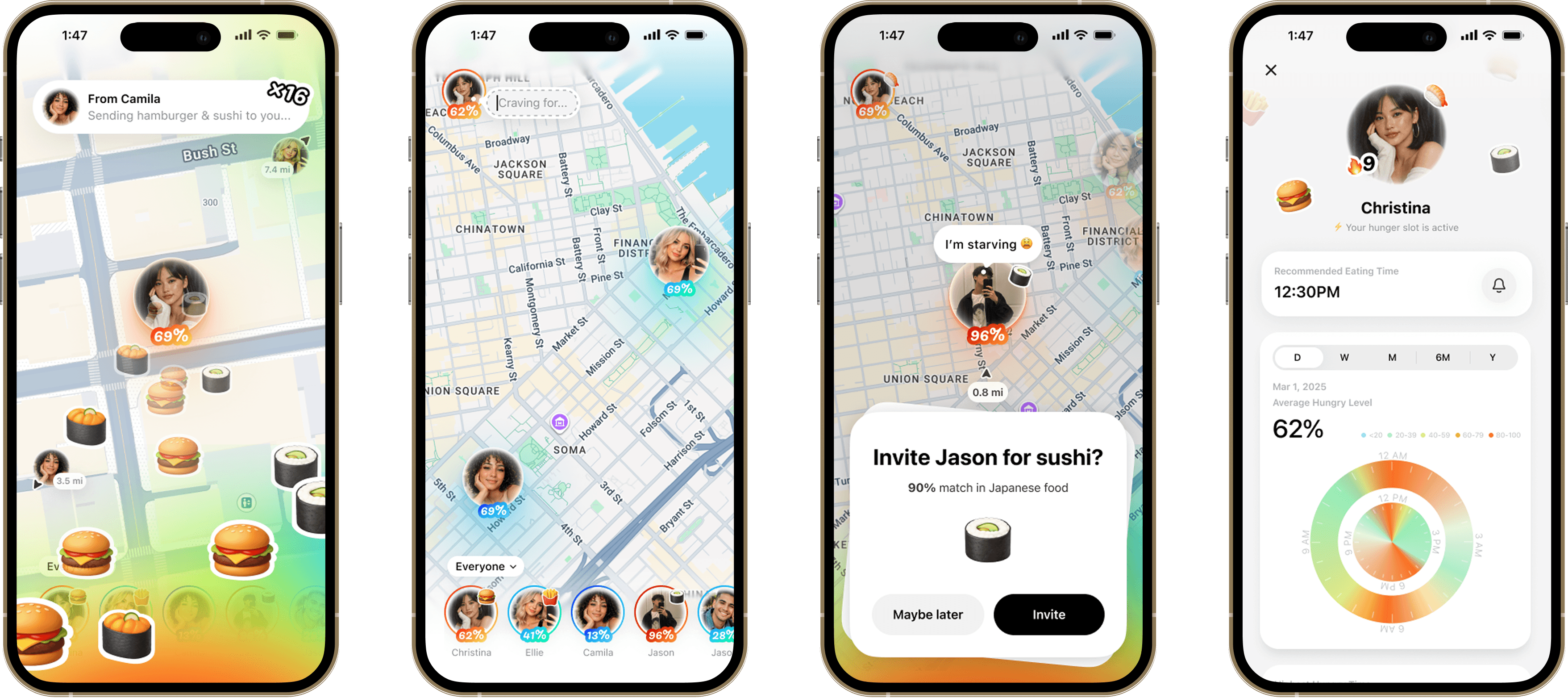
Grumble is a speculative hunger-sensing app that makes an invisible body signal visible — reading blood-glucose-derived hunger cues in real time and turning them into a shared, social signal you can act on with the people around you.
 FigBuild 2026 asked teams to design a conceptual tool that tracks and influences something intangible about the human sensory experience, in support of wellness or behavioral change.
My Participation
I led the vision of Grumble's brand design and interaction behaviours, iterating from low-fi wireframes to rendered prototype in code.
As lead designer, I guided three other designers to shape Grumble's visual language, design system, and motion — including a micro-interaction showreel in Jitter. Several of my accomplishments included:
Visual Language
Designed the core screens, from home to detail views, and the step-by-step flow for interacting with friends.
Motion Principles
Established the tone of motion, then crafted playful interactions across hunger states and page flows.
Rapid Collaboration
Partnered with three fellow designers, tracking to-dos on a day-by-day calendar to keep the team aligned and ship before deadline.
Origin of Concept
It started with a common behaviour on our team: when juggling school projects and internship work, meals kept getting skipped.
By the time hunger caught up, it was already too late. We were experiencing symptoms of:
- Foggy Brain
- Draining Energy
- Losing Focus
What We Found
Skipping meals is common, and the body reacts before anyone notices.
of US workers has skipped lunch entirely during a busy day.
people can't reliably sense their own body's hunger cues.
Gen Z ate every meal completely alone yesterday.
The Problem
Hunger is a signalwe've never learned to read.
Glucose dips, hormone shifts, and ghrelin all move minutes before hunger hits — and none of it gets tracked until it's already too late.
Ideation
How might we remind 🔔 people to eat according to their body's hunger signals, making it easier to notice, understand, and act on.
Key Solutions
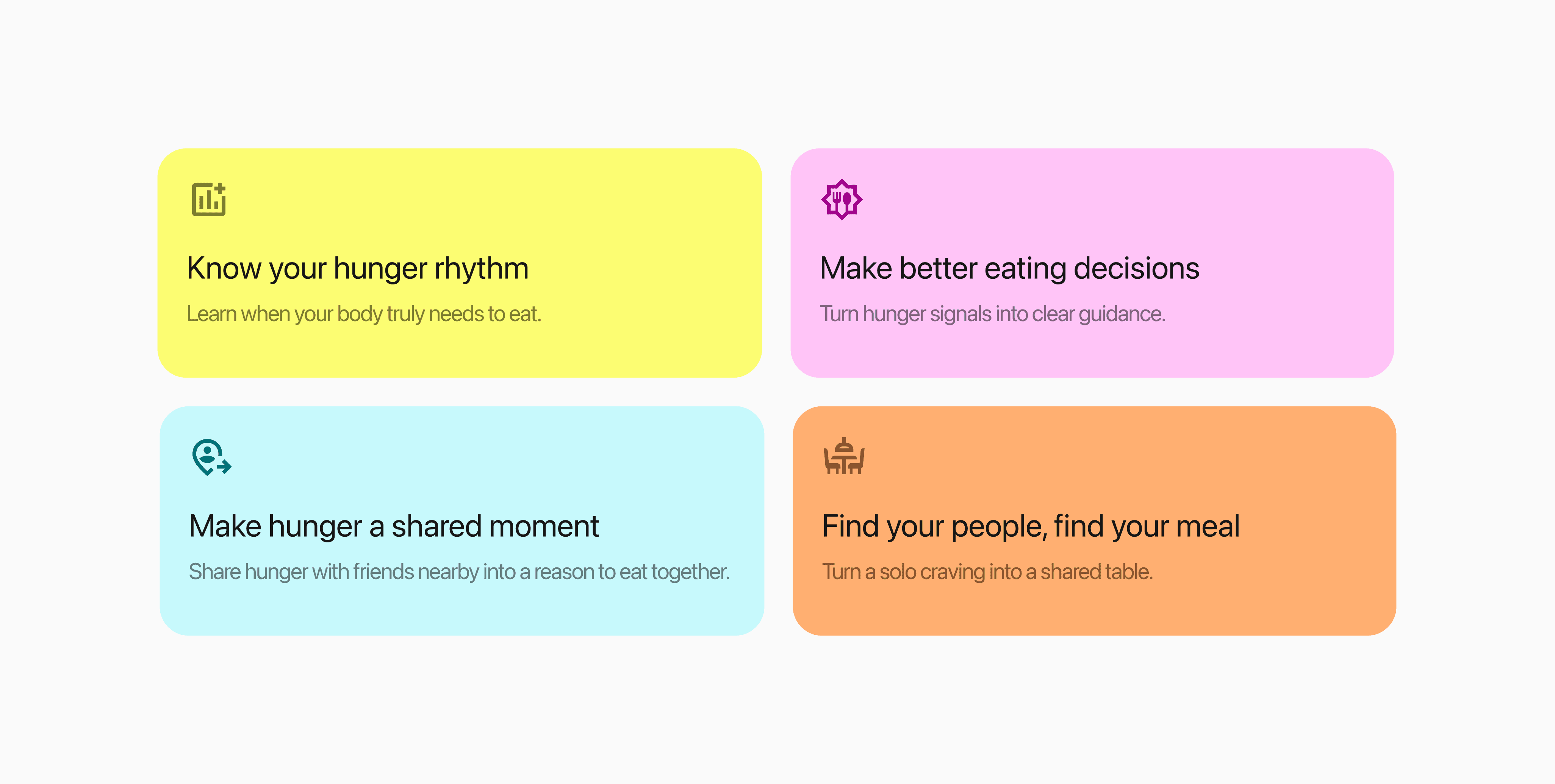
01 A friend noticed first
When glucose dips 60–90 minutes before hunger hits, Grumble catches that window and nudges both you and friends.
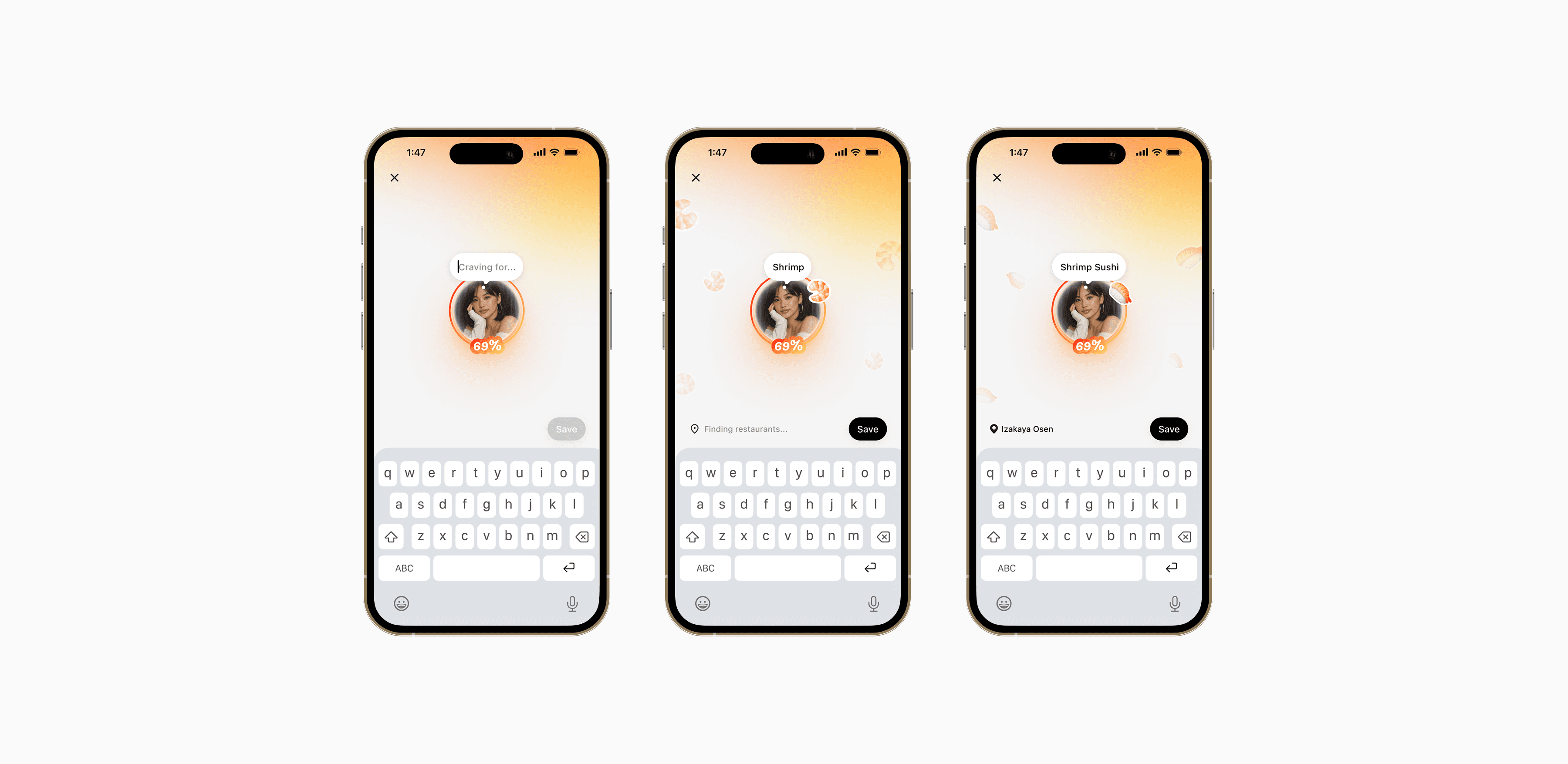
02 Specify what you're craving for as input
Hunger status lives on your profile as a ring — a glance, not a report.
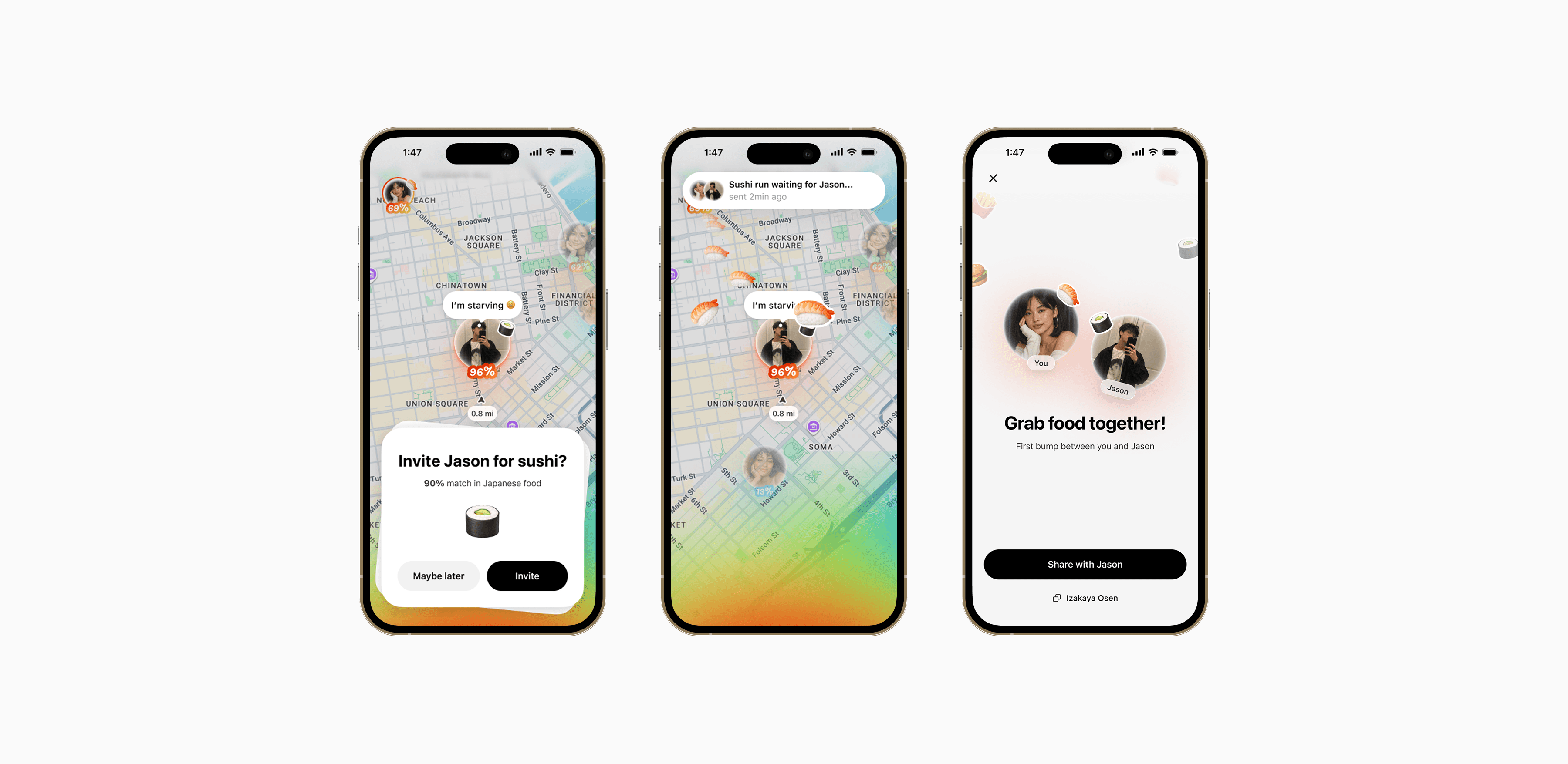
03 Find friends nearby to match the food
Half of people can't read their own hunger. Grumble shows who nearby can — and turns it into a reason to eat together.
04 Understand hunger patterns to build better habits
Your hunger profile shows patterns across days and weeks — so you can catch the next crash before it happens.
Research
How a body signal becomes a number you can act on
Apple Watch, Oura, and Fitbit can't sense glucose or hormones on their own yet — the signals hunger runs on. By 2030–2035, that's expected to change, syncing straight into Grumble.
We imagined a future for how that information could be synced:
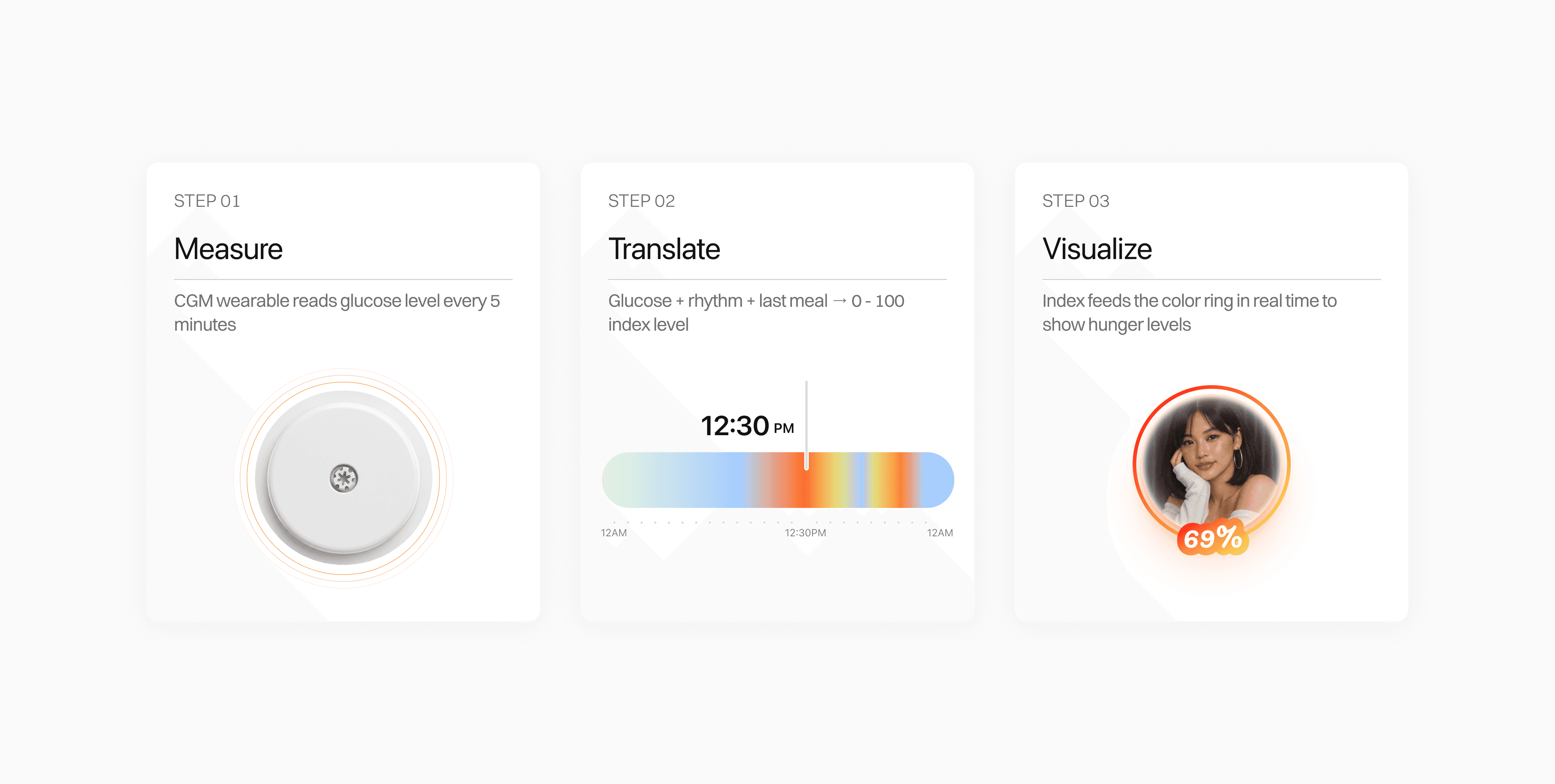
Catch hunger before the crash — and turn it into a meal with someone nearby.
Exploring Visual Details
Visualizing Appetite: A Color-Coded Semantic System
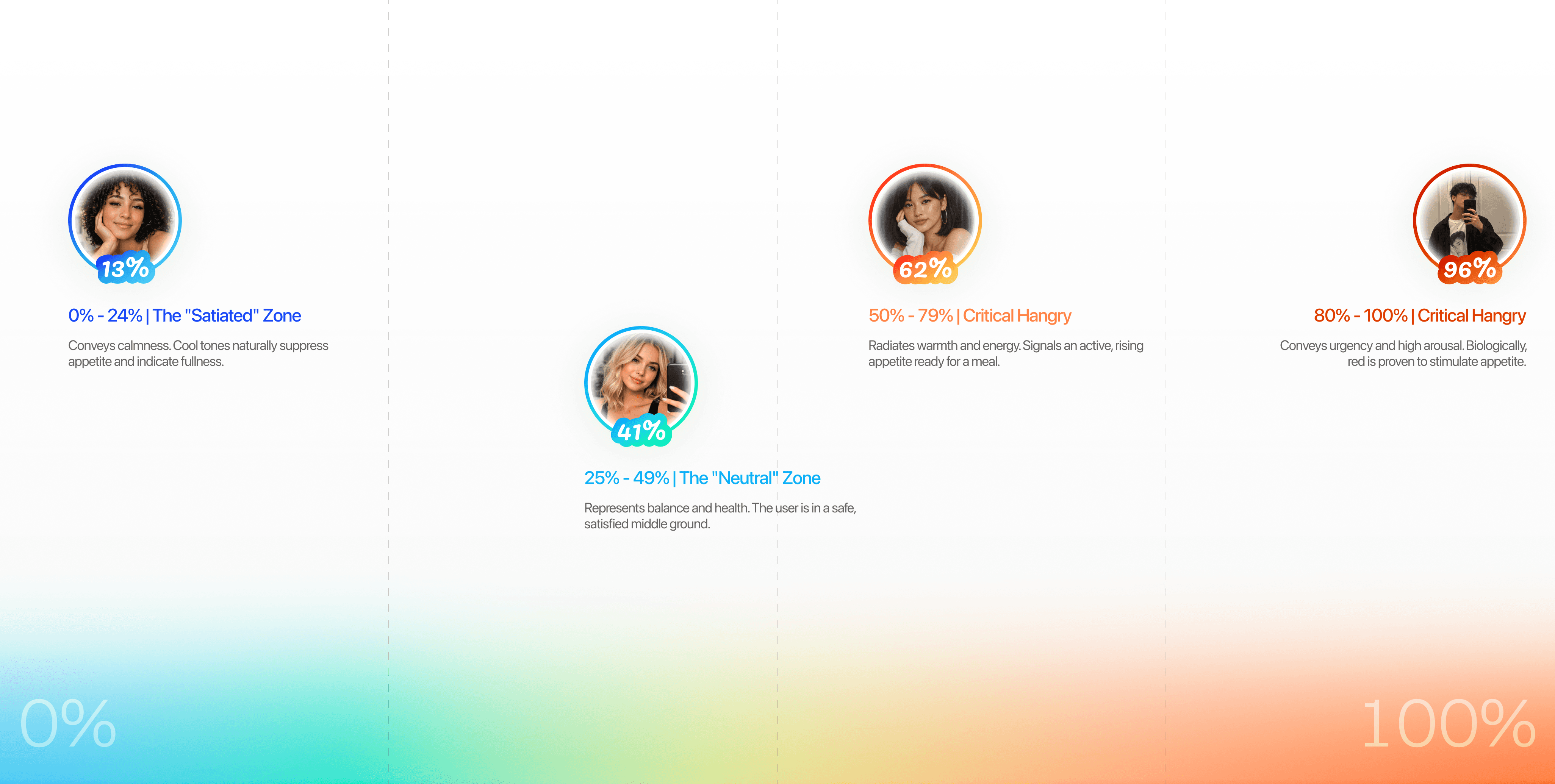
My teammate and I analyzed brand visual guidelines and mood boards to bridge the gap between LA’s "cinematic energy" and the Metro’s "rigid" reality.
Visualizing hunger data through clock metaphor
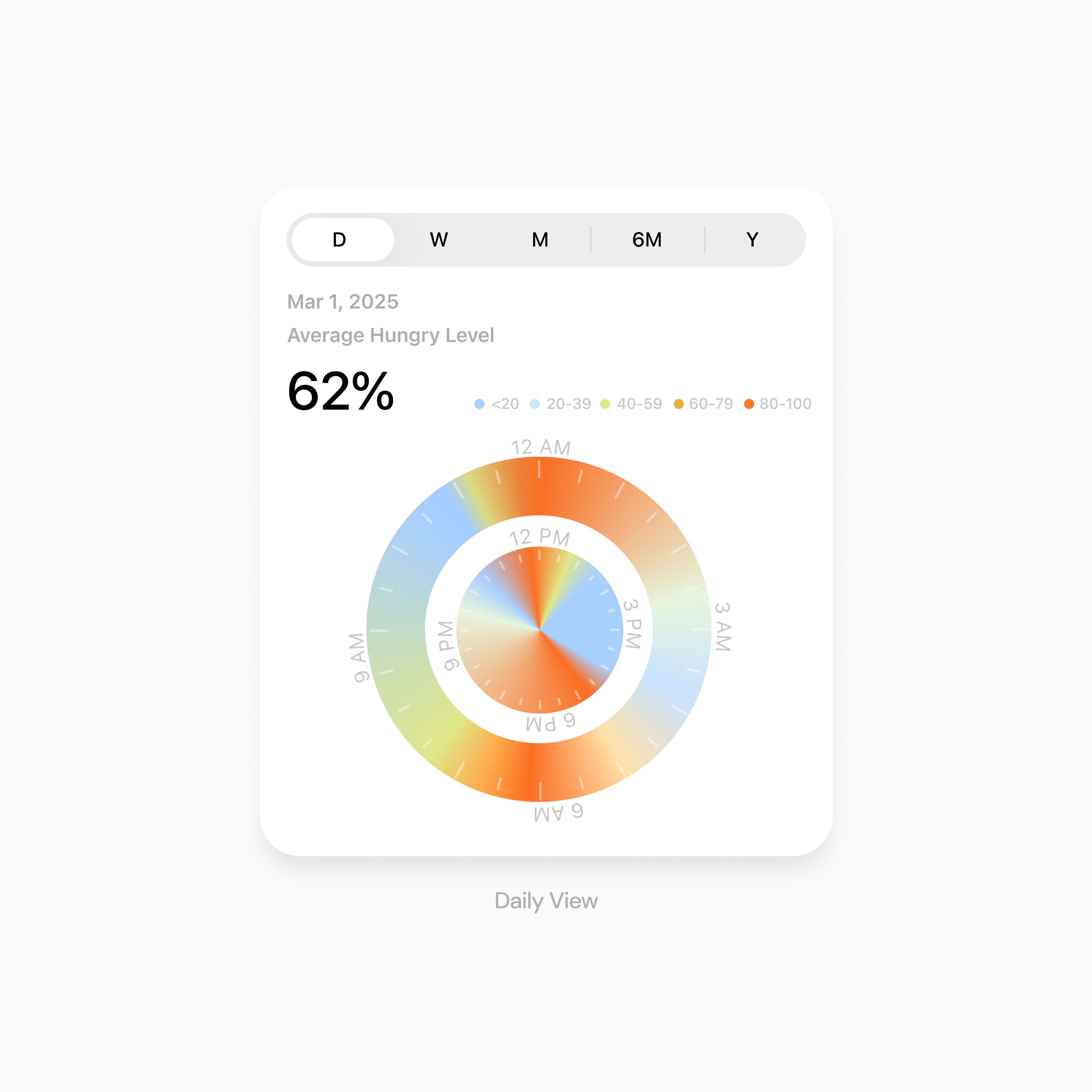
Daily view: Identify the exact moment of hunger to plan meals.
Utilizing a 24-hour circular dial to mirror the natural circadian rhythm. The radial heatmap provides an intuitive "clock-look" that maps body signals to specific times of day
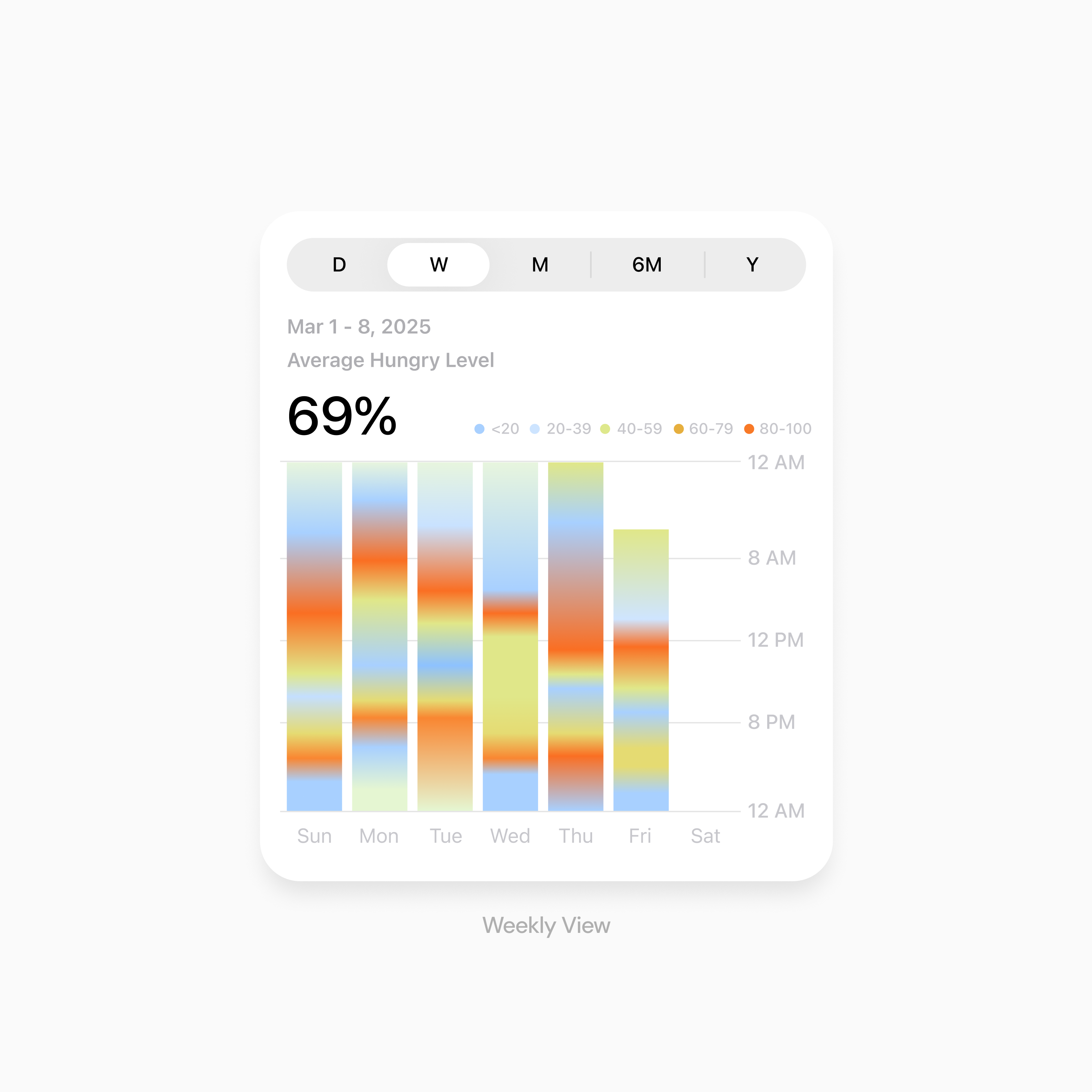
Weekly view: Compare fluctuations and identify anomalies across the week
Unfolding the circular clock into vertical time-strips. This linear alignment allows for side-by-side comparison, making it easy to spot if hunger peaks shifted
How I present the work
Check out our slide presention
In less than 3 hours, I crafted this presentation of its visuals, layouts, and refined on the details.
It takes a few seconds for the presentation to load...
My Takeaways
What I took away from this metric driven project
Think beyond conventional patterns and explore creative interactions
I learned to push past expected solutions and consider more imaginative interaction patterns that solve problems in an intuitive way.
Balance vision with execution by leaving enough time to build
I learned that strong ideas need enough time for both vibe coding and mocking, so the concept can actually come to life instead of staying at the idea stage.
Storytelling and time management are just as important as the final design
A compelling project is not only about what you build, but also how clearly you tell the story behind it and how well you manage your time to bring the idea together.
Back